aws route 53 domain name
In the ground since Thu May 02 2024
Last watered inThu May 02 2024
Related Topics
Referece Links
What is AWS Route 53?
It's a Domain Name System (DNS) web service. It's designed to give developers and businesses a way to route end users to Internet applications by translating human-readable names like www.example.com into the numeric IP addresses like 192.457.1.1!!
How to use AWS Route 53 to register a domain name?
Create a Hosted Zone
The first thing we need to do is to create a Hosted Zone. A Hosted Zone is a container for records. It's where we store information about how we want to route traffic for a domain.
Register a Domain Name
After creating a Hosted Zone, we can register a domain name, but first, we need to buy one.
Buy a Domain Name
We could buy a domain inside the AWS console or use a third-party service. We're following with the second option.
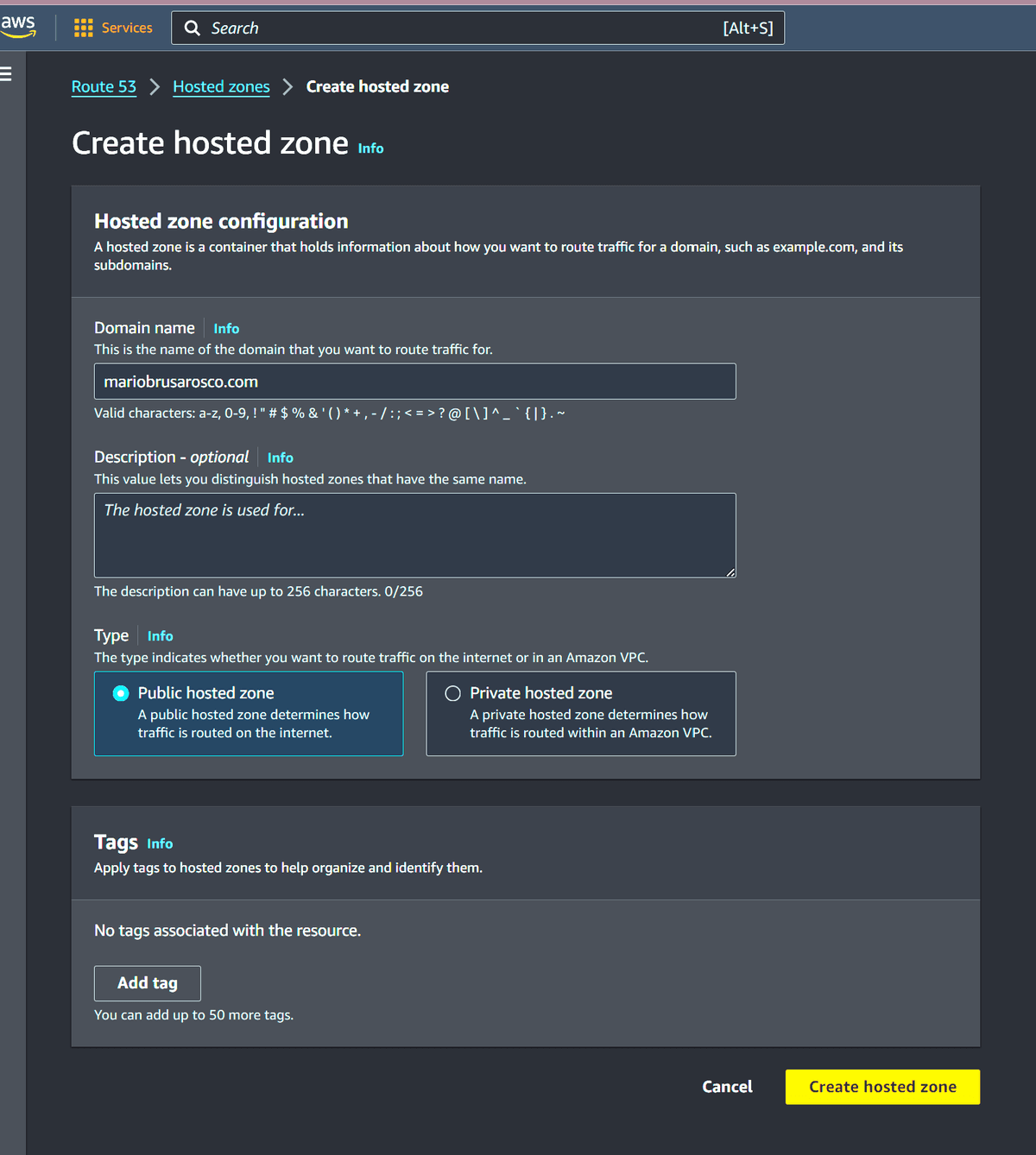
Create a Hosted Zone for Real
With a domain name in hand, we need to go back to the Hosted Zone and create one. The most important part is to fill the domain name just purchesed. We can keep the pre filled configs, go ahead and create the Hosted Zone.
Update the Nameservers
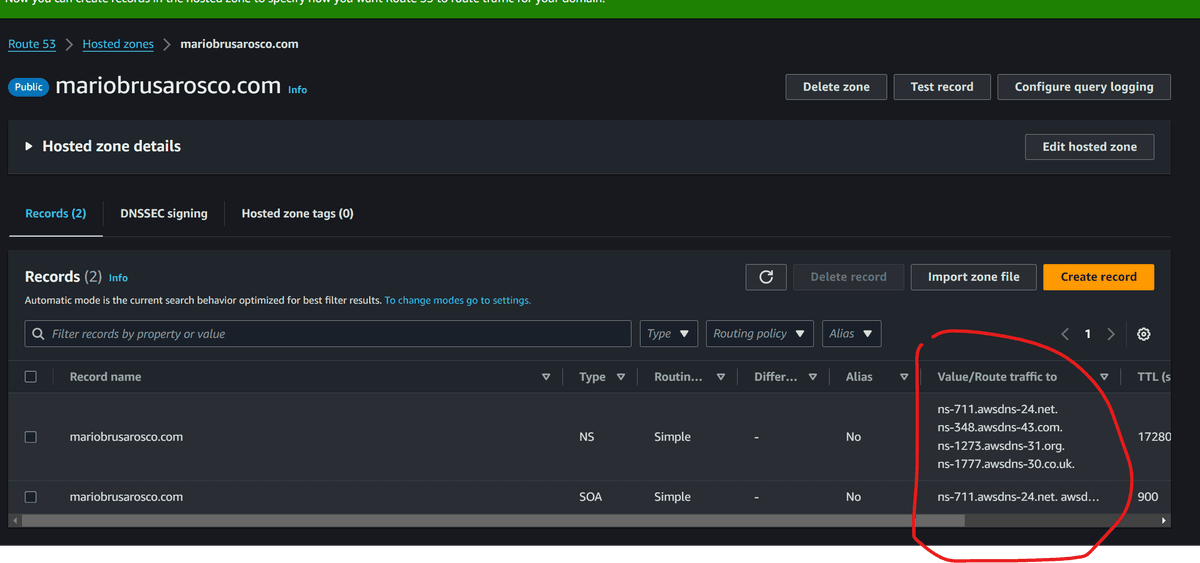
Now we need to update the nameservers of this new domain to point to the AWS Route 53 nameservers.
When selecting our Zone, we'll see a record of type NS. It contains the AWS Routes we need to point to our purchased domain.
The order of the Routes doesn't matter!
Propagation
We need to wait this change to propagate around the world, which could take more than a day!
Access in the meantime
We can create a new record to point to EC2 instance.
- Go to Route 53 again and click on Create record button.
- Click on "Switch to Wizard"
- Select Simple routing option.
- Click on Define simple record.
- For Record type we must choose A - Routes traffic...
- The Route traffic to field can point to the IP address of the EC2 instance. (IPv4 address)
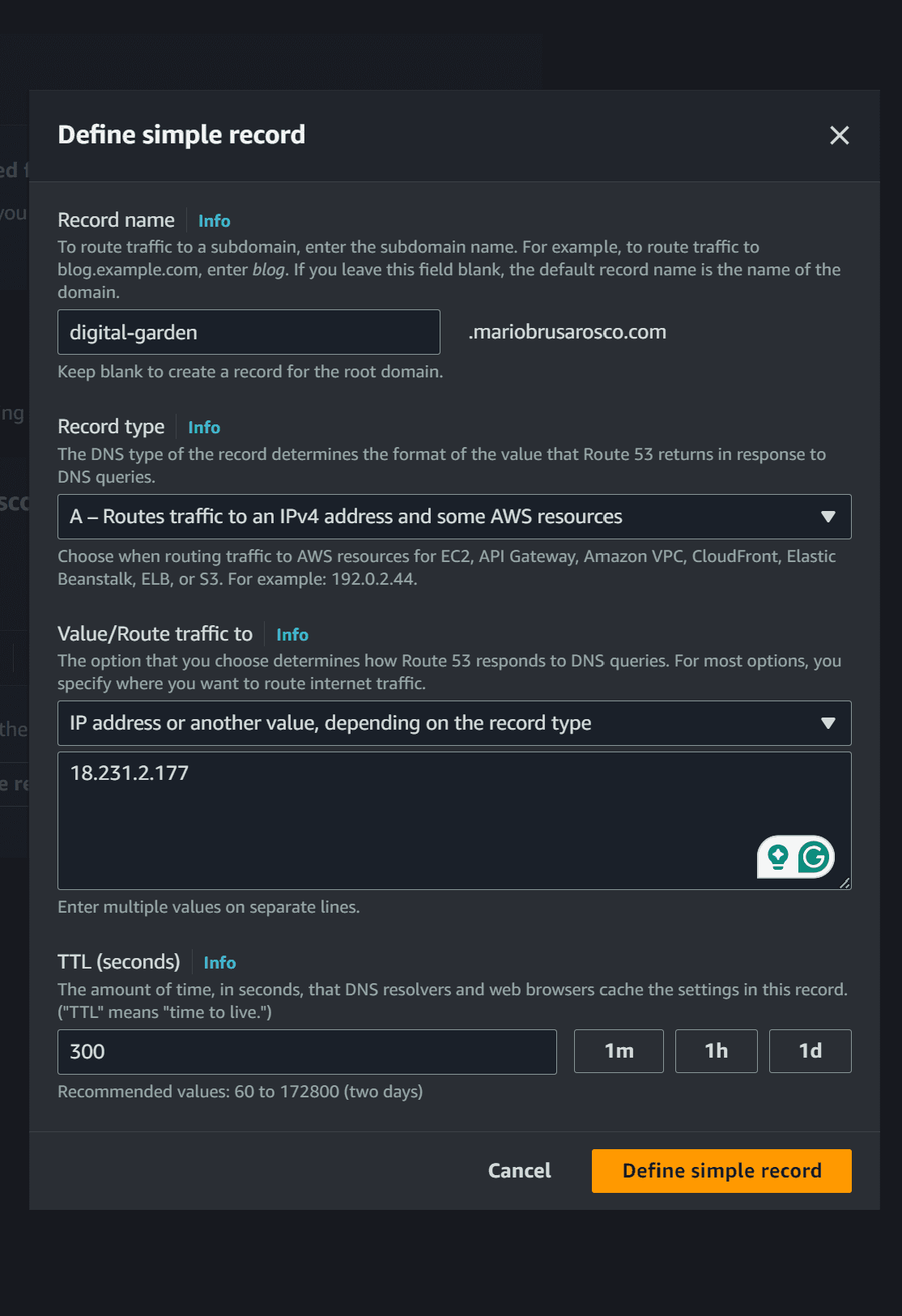 7. Create the record and wait for the propagation (AWS told us that it takes 60s!)