handling errors in react
In the ground since Fri Oct 01 2021
Last watered inFri Oct 01 2021
Related Topics
Referece Links
Handling Errors in React
These are the most common types of errors that can occur in a React application:
- Render Errors: .
- API Errors / Data Manipulation Errors:
- Route Errors:
Let's start by understanding how to handle them.
Render Errors
By default, if out application throws an error during rendering or effects, did-mount/did-update. React will remove its UI from the screen. The <body> tag will be almost empty. Our UI gets removed!

These are errors that occur when we:
- Access a property of an undefined object. A) when're we creating variables before the block of a component B) when we're declaring our UI inside the return block of a component. e.g. Let's simulate an user which doesn't have an street nor a city.
- Our screen will break

- The error will be thrown in the console only. The user won't know what's happening.

- The whole application will be unmounted.

To prevent this, we can use an approach called "Error Boundary".
Error Boundary
An error boundary is a special component that lets you display some fallback UI instead of the part that crashed—for example, an error message.
Currently, the official doc only points to solution using React Class Components. To use a function component Error Boundary, we can use ErrorBoundary or useErrorBoundary hook from react-error-boundary library.
How does it work?
It focus on wrapping the components that might throw an error. If it happens, the error is caught by the nearest error boundary. The error boundary will then display a fallback UI.
What does it not cover?
Before continuing, if anything does't work as expected, we need to remember that some situations are not covered by error boundaries:
- Error boundaries do not catch errors for:
- Event handlers
- Asynchronous code (e.g. setTimeout or requestAnimationFrame callbacks)
- The ErrorBoundary can't be set inside the component that might throw an error. It must be set outside of it!! For god's sake, don't forget this! It will save you a lot of time!
- Errors thrown in the error boundary itself (rather than its children)
These cases will be covered in the next sections. But furst, let's ignore them!
Let's Start
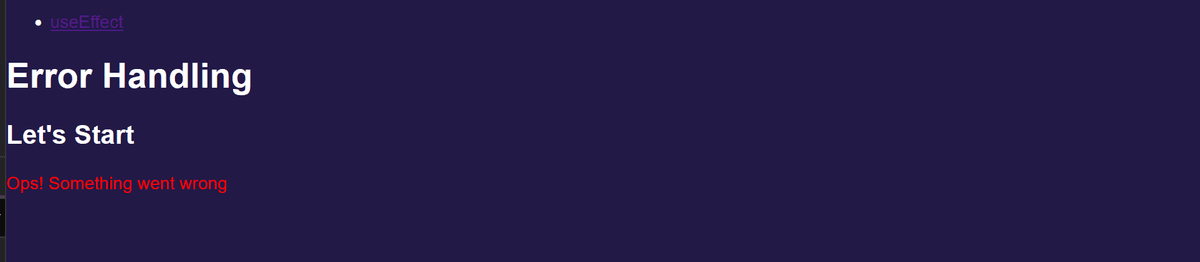
We'll create an Fallback UI to informe the user about the error. We'll wrap ComponentThatWillBreak with ErrorBoundary.
- Our screen didn't break!
- We can show an generic message and we can even grab/show/treat the error.

- The application didn't get unmounted. Check this out! Our HTML is there!

Way Better! But...
Real world applications are complex and grow fast. They will have nested Components. ErrorBoundary will look for errors in a Parent Component. If everything's fine, it will keep going down the tree to check if nested/children Components are throwing errors.
Now the app have two errors:
| ComponentThatWillBreak -> "user.address is undefined" | - MyChildComponent -> "user.lastLogin is undefined"
ErrorBoundary will catch the first error only and display it. Only that.
If we fix the first error, the second one will be displayed.

Nice! It's safe to assume that we can create a "Global" Error Boundary and place it at the Top Level of our App. Fallback a generic message to all possible errors that might happen.
It's not perfect, but at least our App doesn't show an Empty screen and we can in the future use the FallbackComponent to log the error and send it to a monitoring tool.
Nested Error Levels aka "Being more specific"
We can definetly have one ErrorBoundary nested for the whole App. But we can also have multiple ErrorBoundary for specific Components. It's up to us to decide which one to use. It's a matter of context and complexity of the App
Let's create an approach:
Mental Model
- A Generic Fallback Component for the whole App. This is the Level 1 Better safe than sorry!
- Lots of Specific FallBack Components for specific Components. This is the Level 2
Level 1 It's a global treatment. If in the future, any Component is added in the App and it's not wrapped in a Error Boundary, we can rest assured that if it breaks, we'll know and we'll display a properly Fallback UI. A Generic one? 100%. But still better tha n a blank page!
Level 2 It's a more specific treatment. We can wrap a specific Component that we know that might break. We can display a more specific Fallback UI. We can even grab the error and treat it.
Now it's time to use them:
When an error is caught by the GlobalFallback:
When an error is caught by the ChildFallback:

Cool! But writting two Components SomethingFallback SomethingFallbackUI to all Components of a complex App will add complexity to the code.
We can use Higher Order Components to wrap the Components that might break. A HOC is a function that takes a Component, alter the given Component, in any matter and returns a new Component. We can use it to wrap the Components that might break.
Retry Rendering
We can forçe a re-render after an error. It make sense if we're dealing with a fetch that failed or if we have a strategy where we would fix the cause of the error.
We have two options. By calling a hook useErrorBoundary or by using a prop onReset in the ErrorBoundary component.
Calling the hook inside the Component which we want to recover for
Calling onReset
Logging Errors
In real-world App we might want to store all errors using a monitoring tool. We can use the onError prop in the ErrorBoundary component to log the error.
Writting Roadmap
-> Write an error on event handlers. A click will do! -> Write an Error simulating a fetch that fails
API Errors / Data Manipulation Errors
Route Errors
Create Root
https://react.dev/reference/react-dom/client/createRoot#displaying-error-boundary-errors
Recoverable errors
https://react.dev/reference/react-dom/client/createRoot#displaying-a-dialog-for-recoverable-errors